Uncertain whether your GEN 3 LS PCM supports Drive-By-Cable (DBC)? You can verify it in one of two ways:
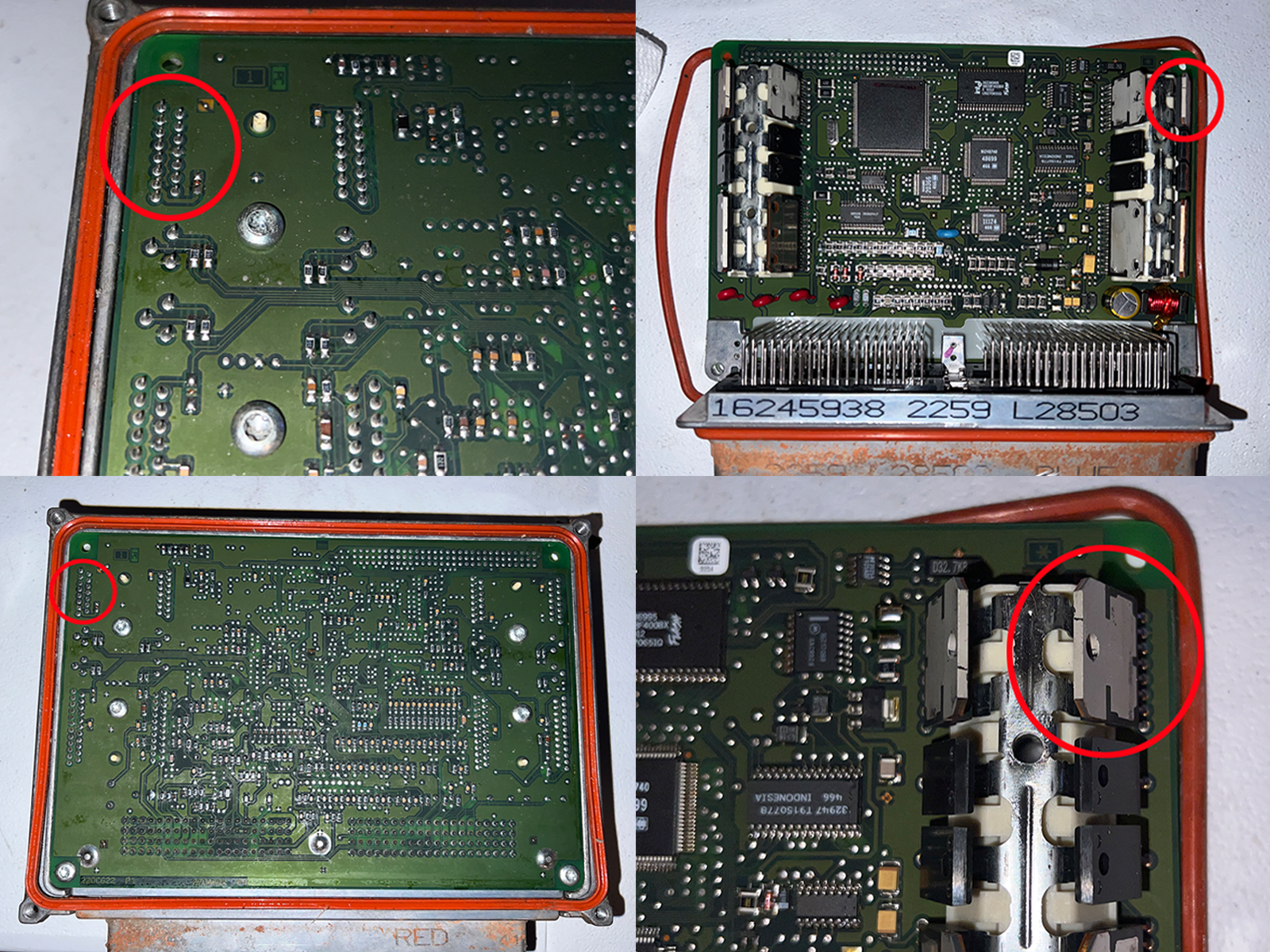
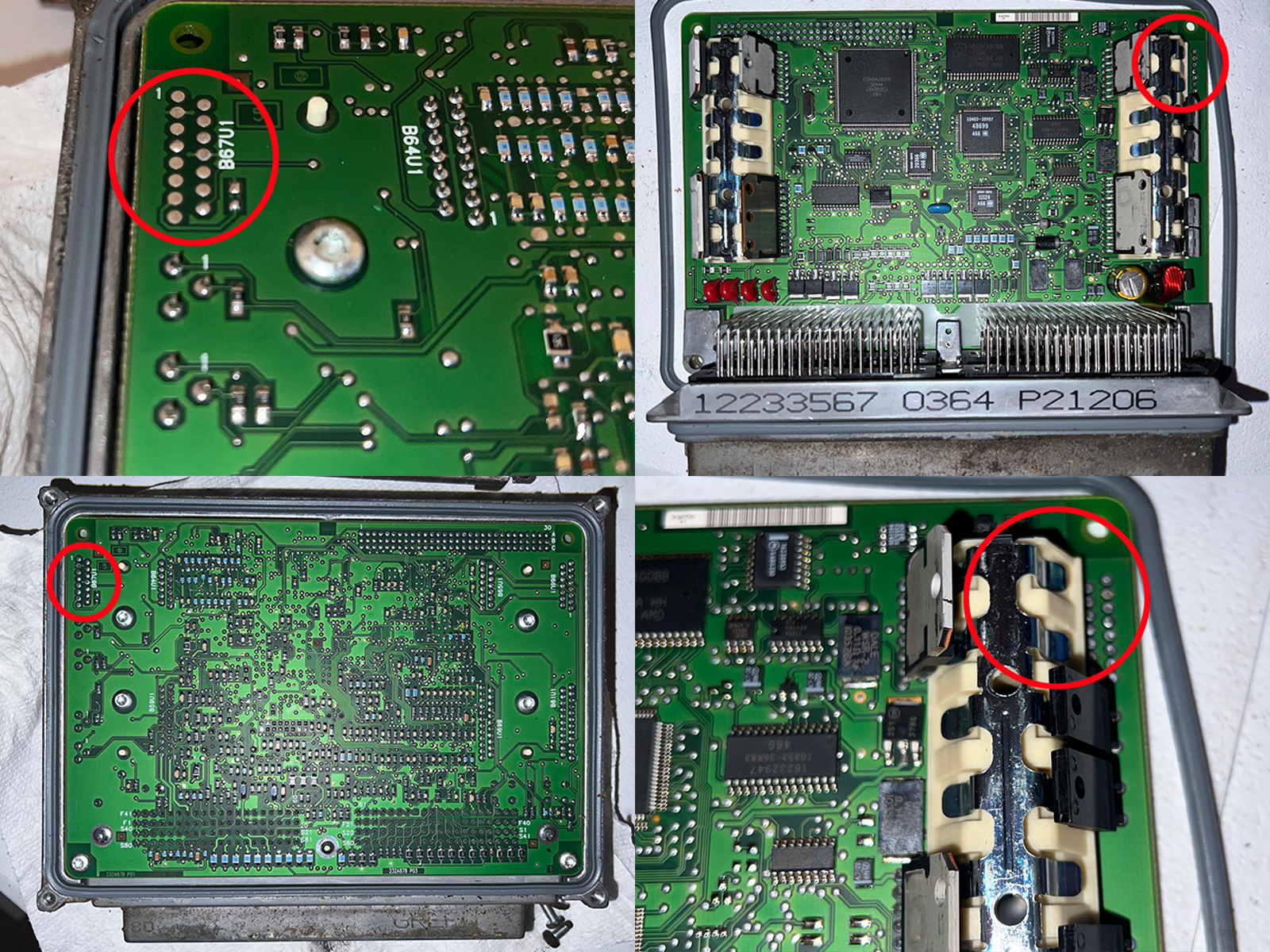
Visual Board Inspection: Remove the PCM case and look at the circuit board. If you see the pins from the installed driver, your PCM supports DBC. If those pins are missing, it cannot support a cable throttle.
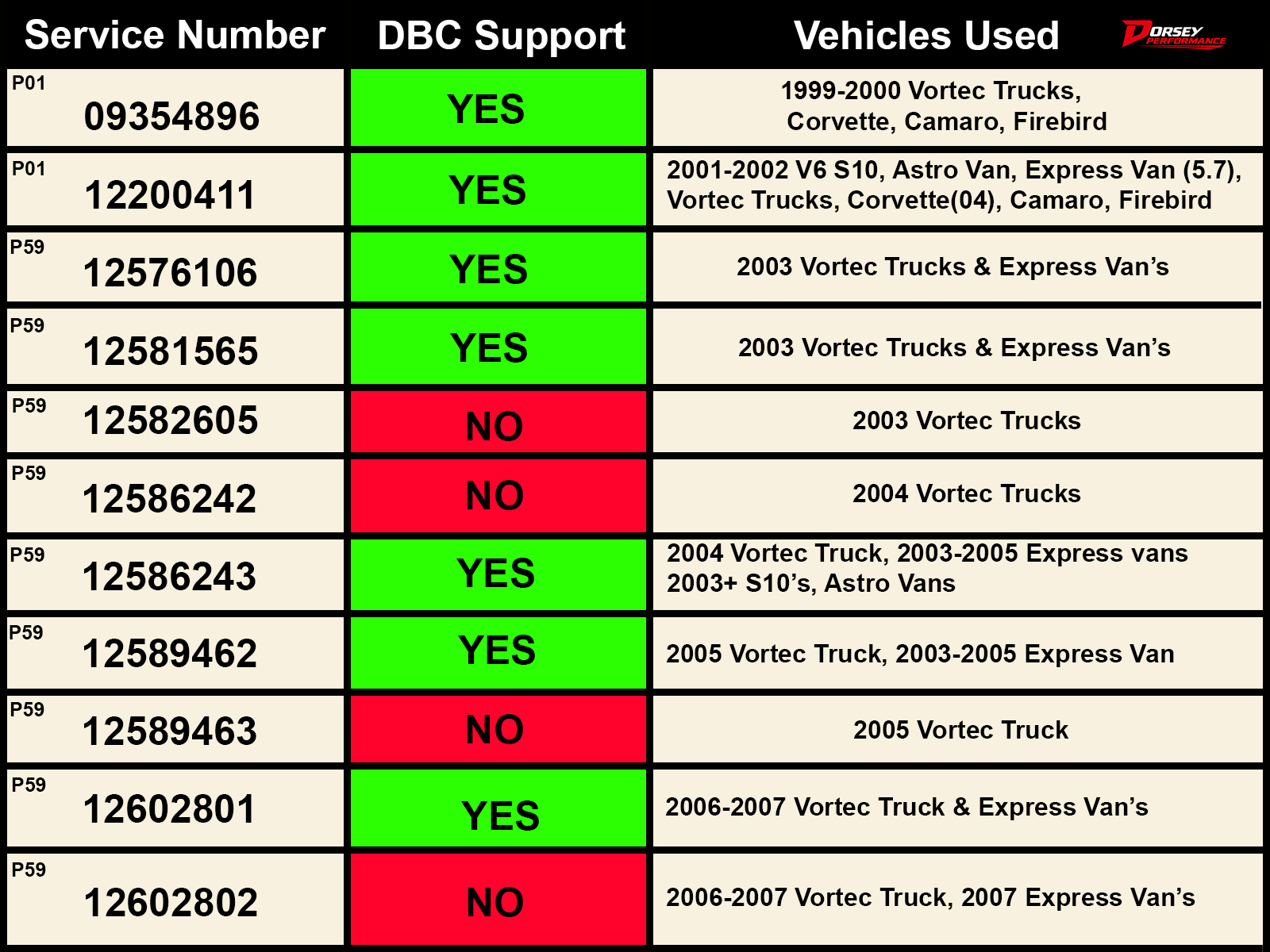
Part Number Reference: You can also check the reference chart below to see which specific PCM part numbers come with the factory-installed driver.
DBC Supported Part Number Chart:
DBC Supported BOard inspection:
Open the Case: Remove the 4 screws (T25) on the PCM cover. Lift the cover off to reveal the circuit board.
Check the Top Left: Look closely at the top-left corner of the board:
DBC Supported: You will see actual pins sticking up (THE IAC DRIVER).
DBW Only: You will just see empty solder spots or blank provisions where the pins would go.
if you want to check the component side directly, Go a step further:
Lift the Board (Optional): Remove the remaining Torx screws holding the circuit board down (T20), lift it out, and flip it over.
Look at the Top Right:
DBC Supported: You will see the physical IAC driver chip attached the stepper motor area.
DBW Only: That spot will be completely blank.
Drive-by-cable SUPPORTED: